
Alibaba Cloud is an integrated suite of cloud products and services to help digitalize by providing scalable, secure, and reliable cloud computing solutions. This guide explains how to add an Alibaba Cloud account to Cloudaware.
Summary
To integrate Alibaba Cloud with Cloudaware:
-
Create a RAM role or a RAM user in Alibaba Cloud:
-
RAM Role
-
Download the RAM template from Cloudaware
-
Copy the External ID in Cloudaware
-
Create a stack in the Alibaba ROS Console using the RAM template and External ID from Cloudaware
-
-
RAM User
-
Create a user in the RAM Console
-
Copy the user access key
-
-
-
Add the Alibaba account to Cloudaware:
-
RAM Role: use the RAM Role ARN
-
RAM User: use the user access key and secret
-
See the setup guidelines below for details.
Add Alibaba Cloud Account
Using RAM Role (Recommended)
This option allows adding an Alibaba Cloud account to Cloudaware with a pre-generated template for RAM role creation. The template simplifies the creation of stack and RAM user in Resource Orchestration Service (ROS) in Alibaba Cloud.
-
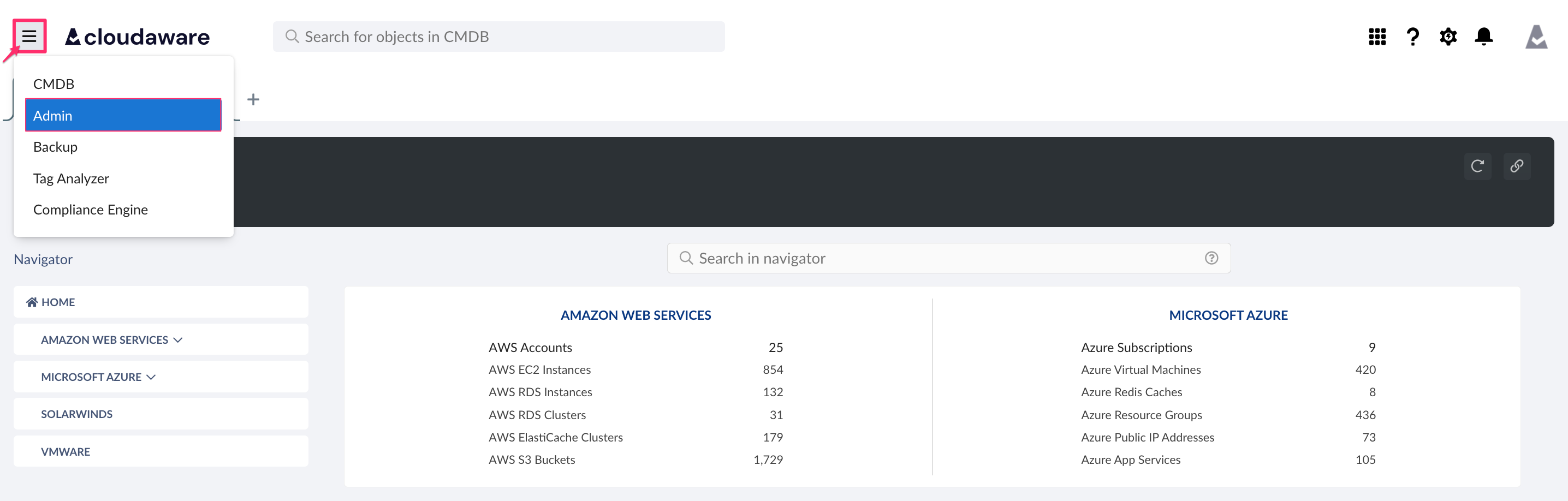
Log in to Cloudaware → Admin.
-
Find Alibaba Cloud. Click +ADD.

-
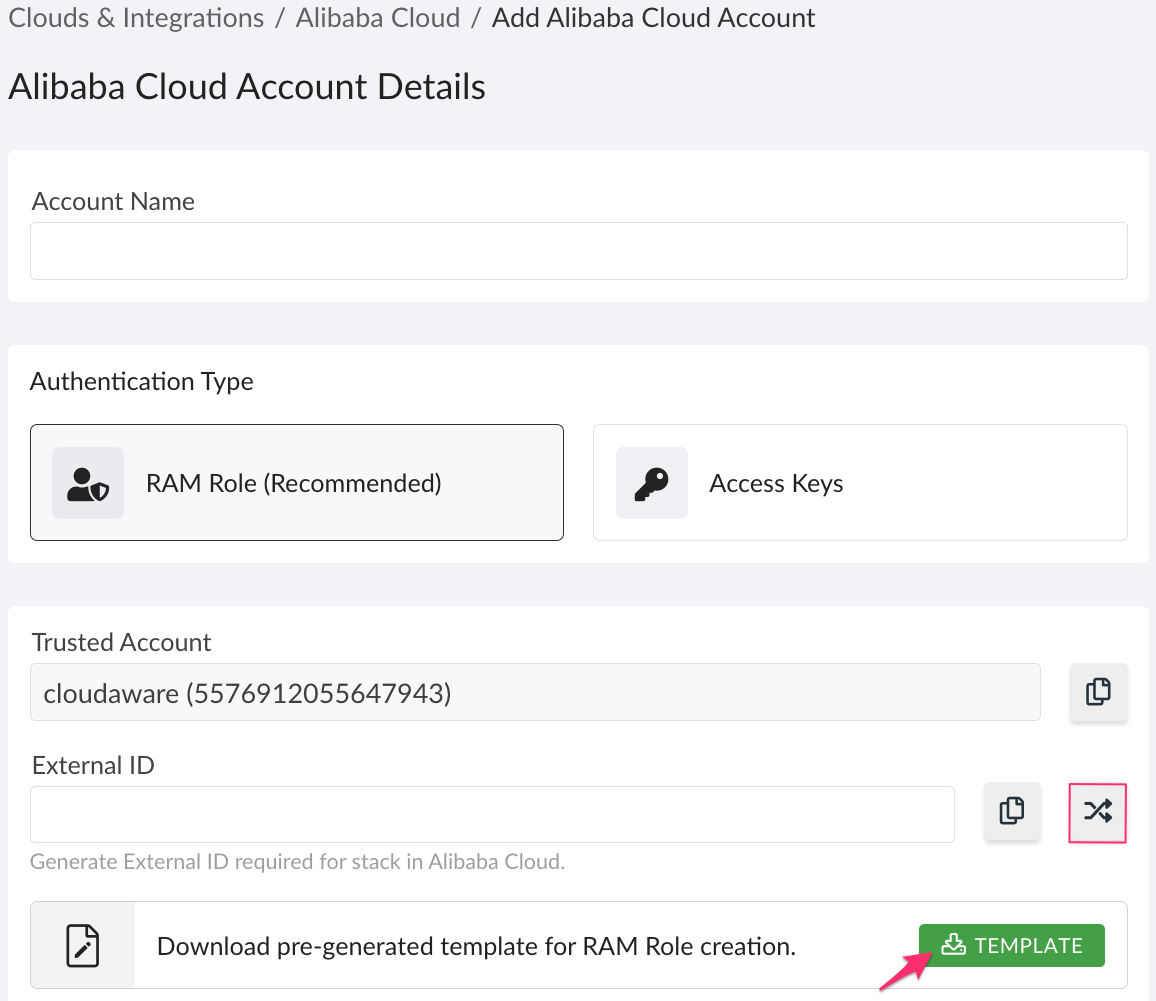
Fill out the form:
WHERE
Account Name – provide a meaningful Alibaba Cloud account name
Authentification Type – select 'RAM Role'
Trusted Account – Cloudaware Alibaba Cloud account ID that is auto-populated in the template (copy the trusted account ID only if the Cloudaware RAM role will be created manually in Alibaba Cloud)
External ID – generate External ID and save it for further setup in AlibabaClick TEMPLATE to download the Cloudaware template. Open the file in a text editor.
-
Log in to the ROS console in Alibaba Cloud. Go to Templates → My Templates → Create template.
-
In the section 'Edit template', paste the code of the downloaded Cloudaware template. Click Save Template.
-
In the section 'Actions' for the created template, click Create Stack.
-
In the section 'Access', insert the saved External ID in the AccessExternalId field. Click Create.
-
Select the tab 'Resources'. Click on the role CloudAwareRamRole. Copy the Role ARN.
-
Go back to Cloudaware. Paste the RAM Role ARN in the integration form:
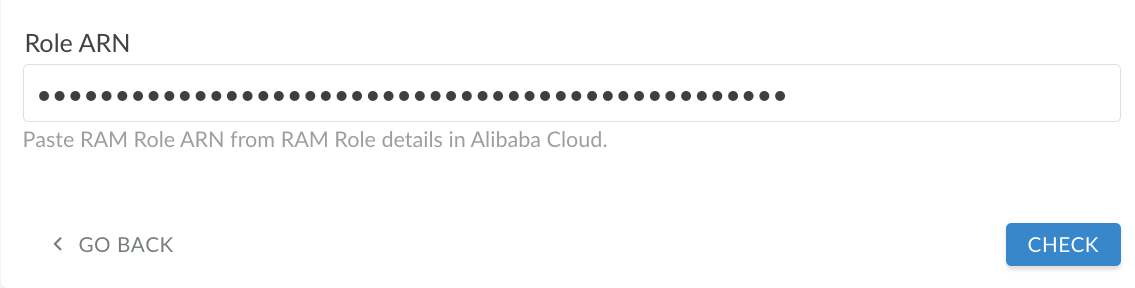
Click CHECK. Once the validation is passed, click SAVE.
-
A green light in the ‘Status’ column indicates a successful configuration. If the light is red, contact support@cloudaware.com.
Using Access Keys
This option allows adding an Alibaba Cloud account to Cloudaware with user access key and secret.
-
Log in to Cloudaware → Admin.
-
Find Alibaba Cloud. Click +ADD.
-
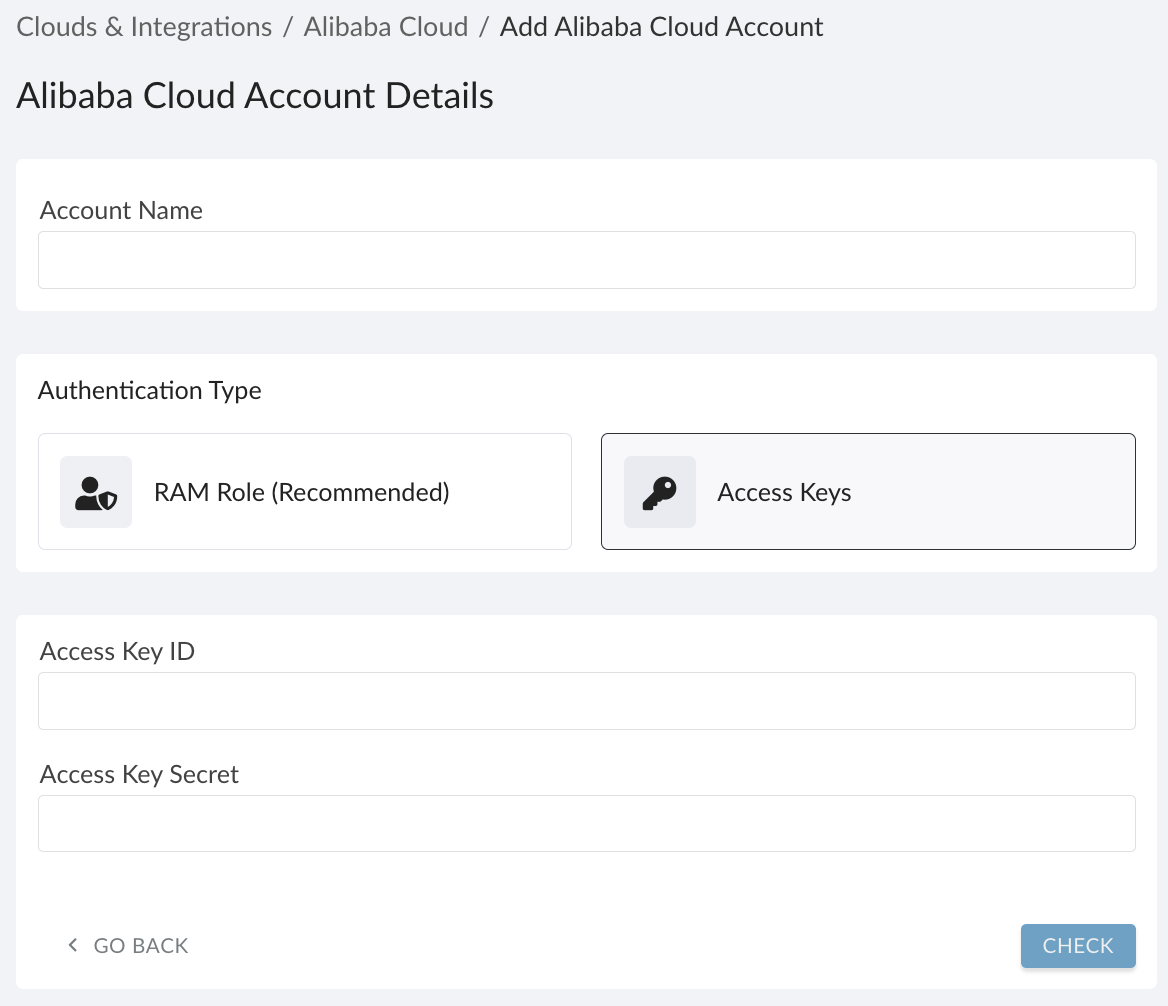
Fill out the form:
WHERE
Name – Alibaba Cloud account name
Authentification Type – select 'Access Keys'
Access Key ID – the RAM user’s access key ID
Access Key Secret – the RAM user’s access key secret
Click CHECK. Once the validation is passed, click SAVE.
-
A green light in the ‘Status’ column indicates a successful configuration. If the light is red, contact support@cloudaware.com.