
Dynatrace

Dynatrace is an observability and security platform that monitors application performance, infrastructure health, and user experience to help teams troubleshoot faster and optimize operations.
Create a token in Dynatrace
Log in to your Dynatrace account.
In the top menu, go to Identity & Access Management → OAuth clients. Click + Create client.
Ensure to select the following minimum permissions:
View environments
account-env-readGrant access to read oneagent
environment-api:oneagents:readView smartscape data
storage:smartscape:read
Save the Account URN and Client Secret in a secure location, as they cannot be retrieved after the initial creation screen is closed.
Add a Dynatrace account
Log in to Cloudaware → Admin.
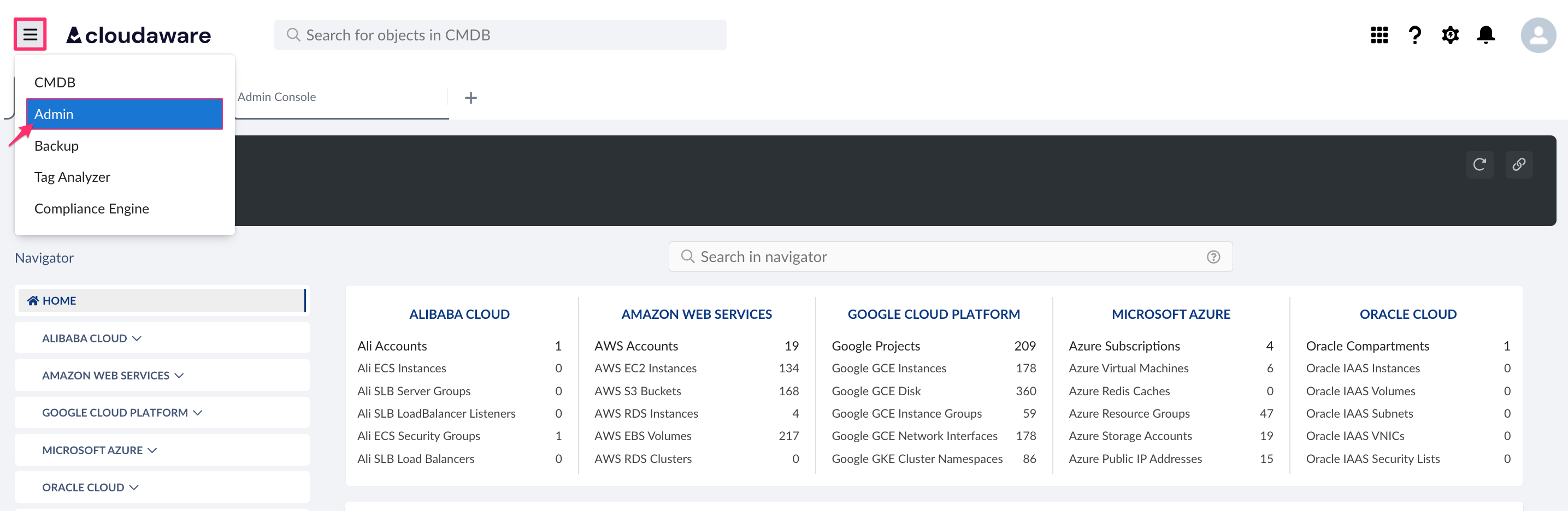
Find Dynatrace Accounts. Click +ADD.

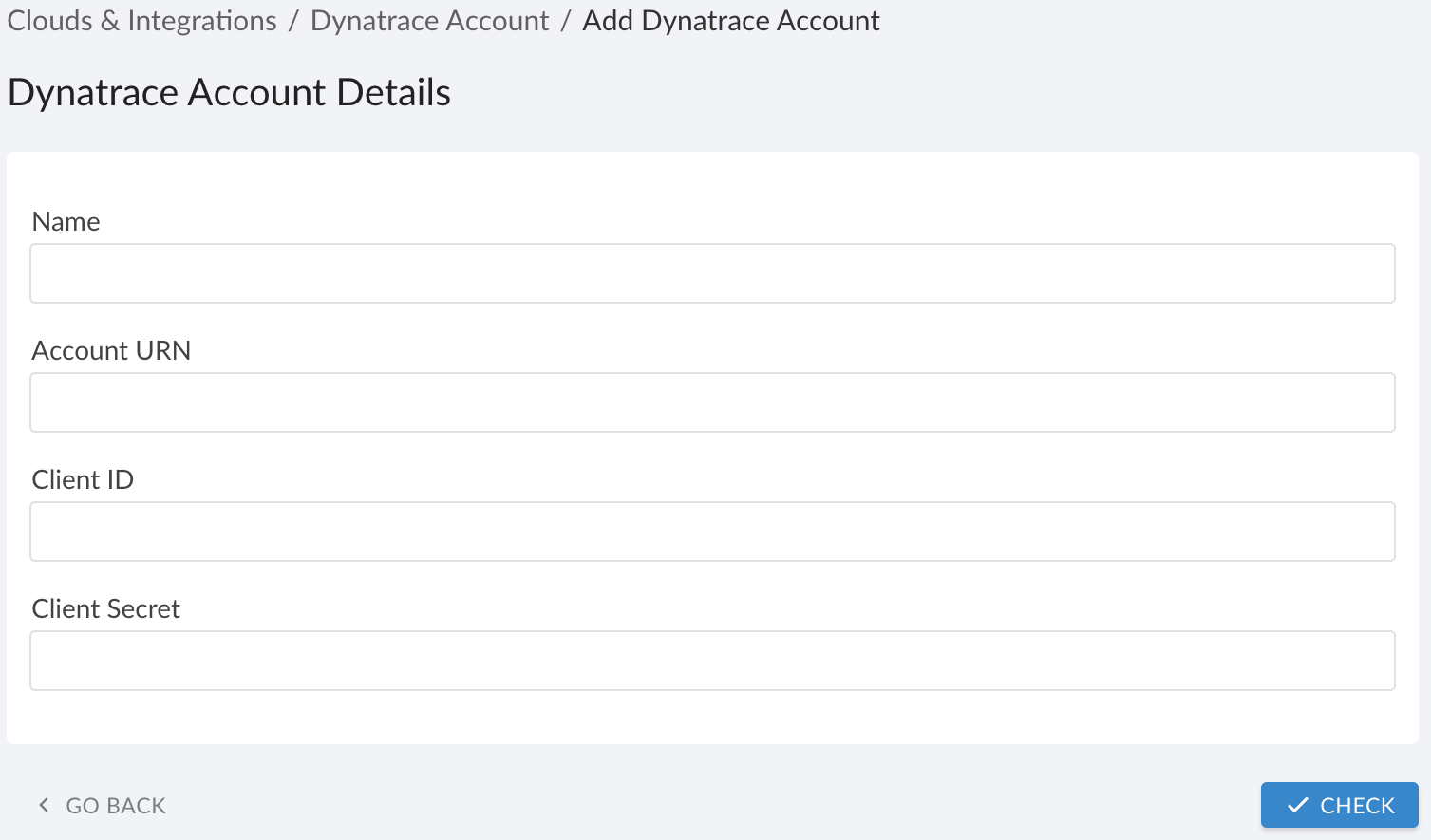
Fill out the form:
WHERE
Name: Enter a name for Dynatrace integration
Account URN: Enter the URN in the the formaturn:dtaccount:<account-uuid>
Client ID: Enter the client ID
Client Secret: Enter the client secret
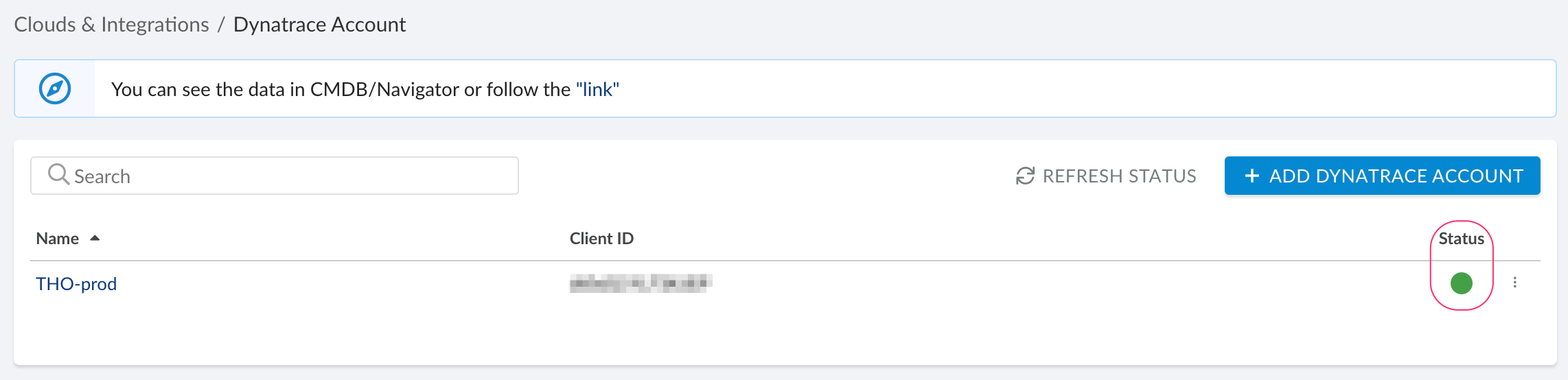
Click CHECK to test the connection. After validation passes, click SAVE.Verify the integration status. A green indicator in the Status column means the configuration was successful. If the indicator is red, contact support@cloudaware.com.
To view Dynatrace objects and related data, go to Cloudaware CMDB Navigator. Select DYNATRACE in the left-hand menu:
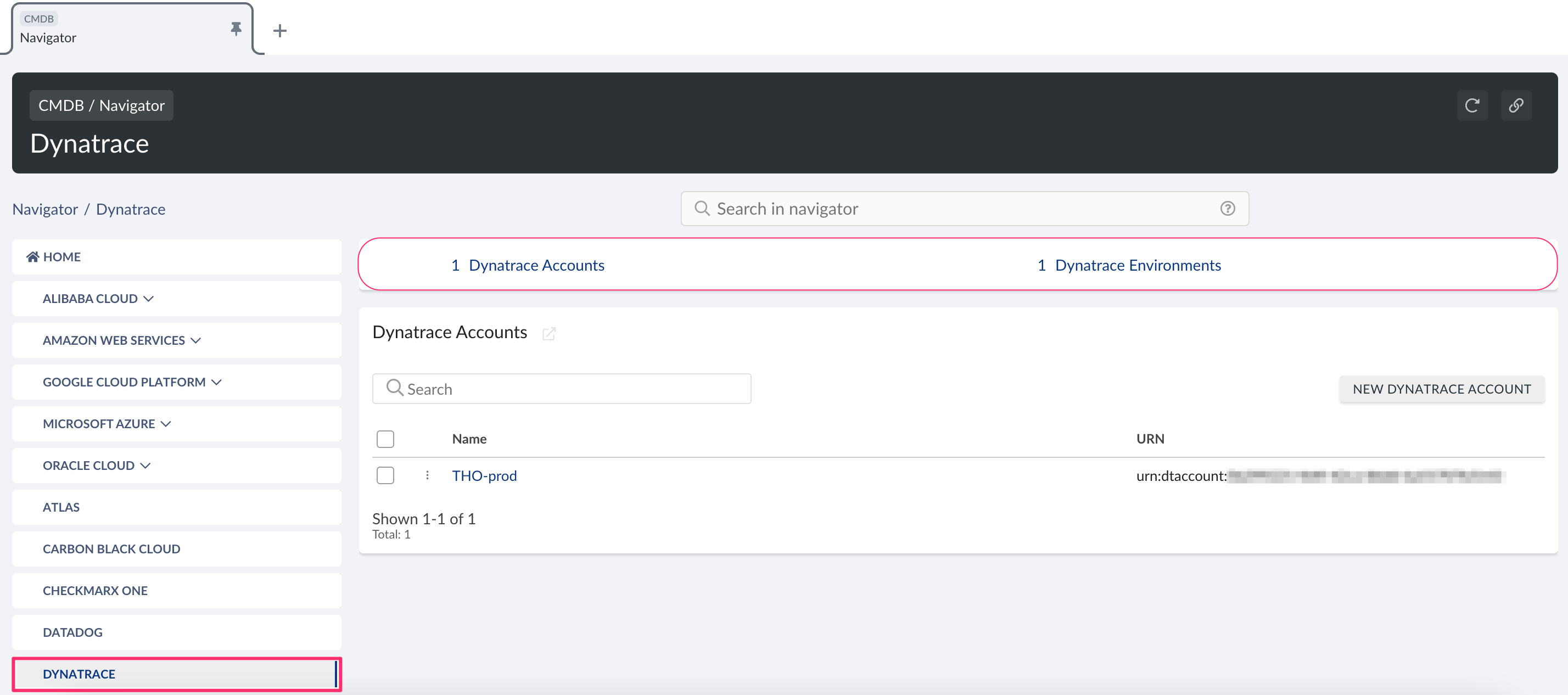
List of Dynatrace objects
Cloudaware supports the following Dynatrace objects, with API names:
Dynatrace Account
CA10D__CaDynatraceAccount__cDynatrace Environment
CA10D__CaDynatraceEnvironment__c
List of Dynatrace fields on AWS objects
Dynatrace-related fields may appear on AWS objects in Cloudaware:
AWS Account
Dynatrace: Account URN
Dynatrace: Acquisition Status
Dynatrace: Environment ID
Dynatrace: Lifetime Start
AWS EC2 Instance
Dynatrace: Account URN
Dynatrace: Acquisition Status
Dynatrace: Agent Auto Update Settings
Dynatrace: Agent Availability State
Dynatrace: Agent Configured Monitoring
Dynatrace: Environment ID
Dynatrace: Lifetime Start