
Conflux

Conflux allows organizations to unify and consolidate operational data from various systems. The Conflux integration allows Cloudaware to discover and list customer AWS accounts that are eligible for log ingestion. This guide explains how to configure the Conflux integration in Cloudaware.
 To see how Cloudaware seamlessly integrates with Conflux, request a demo.
Requirements
Ensure the AWS account or accounts are added to Cloudaware.
Ensure the required permissions for logs are assigned to Cloudaware. Read more
Ensure you have Cloudaware Administrator or System Administrator permissions to access the Cloudaware Admin.
Assign IAM Identities for Conflux
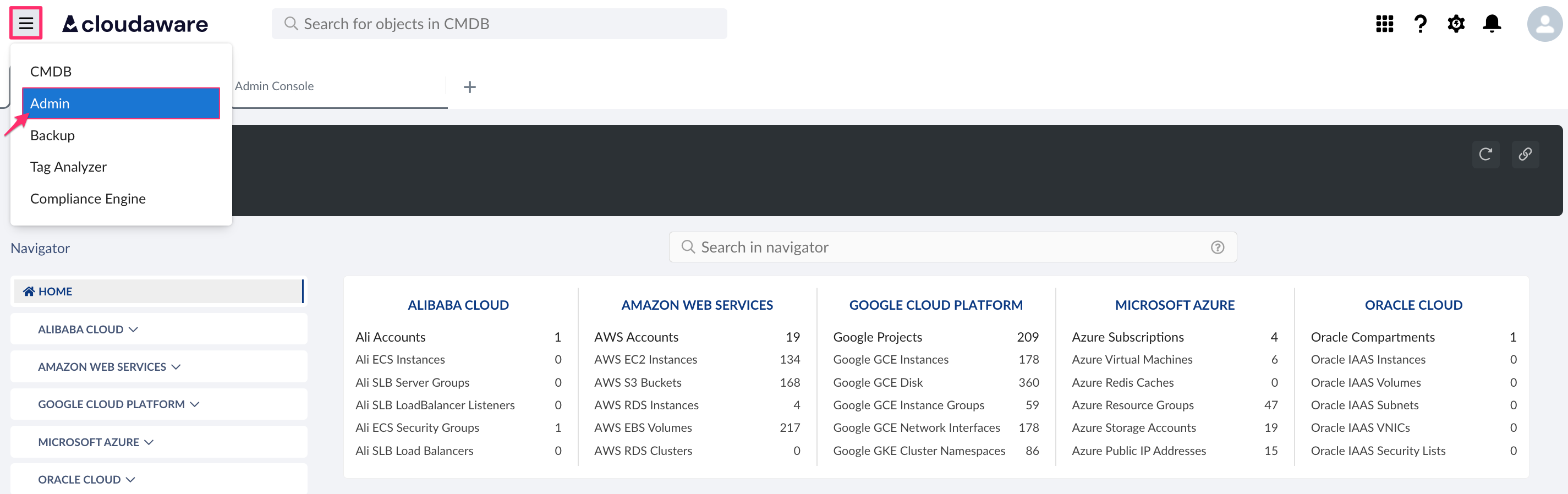
Log in to Cloudaware → Admin.
Find Conflux in Logging integrations. Click SHOW ACCOUNTS.

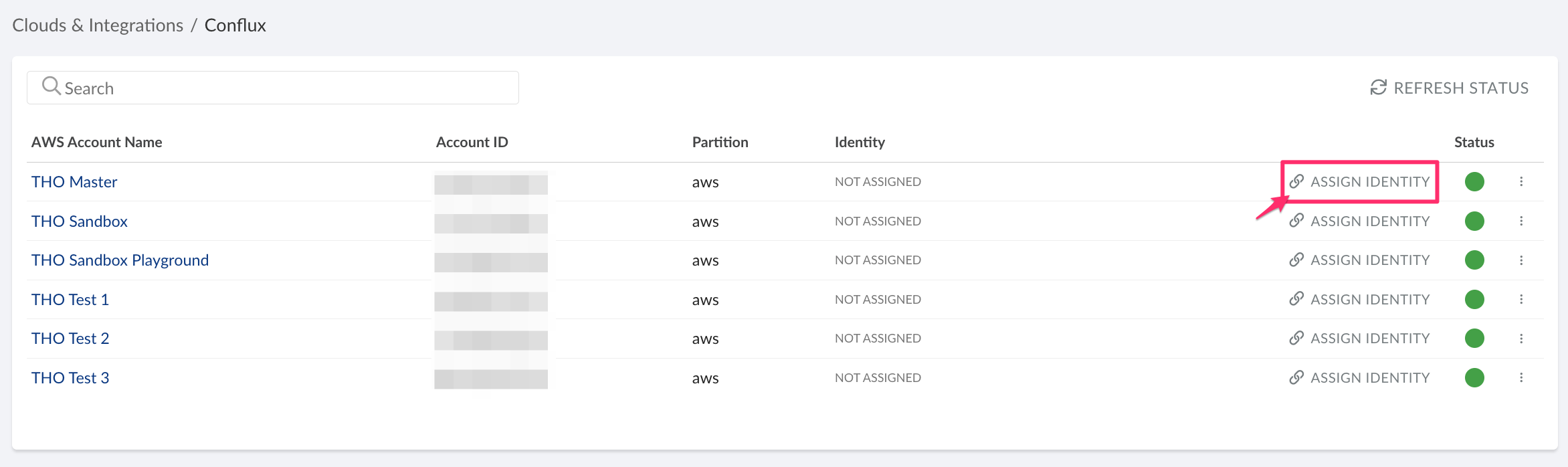
Review the list of discovered AWS accounts. Click ASSIGN IDENTITY.
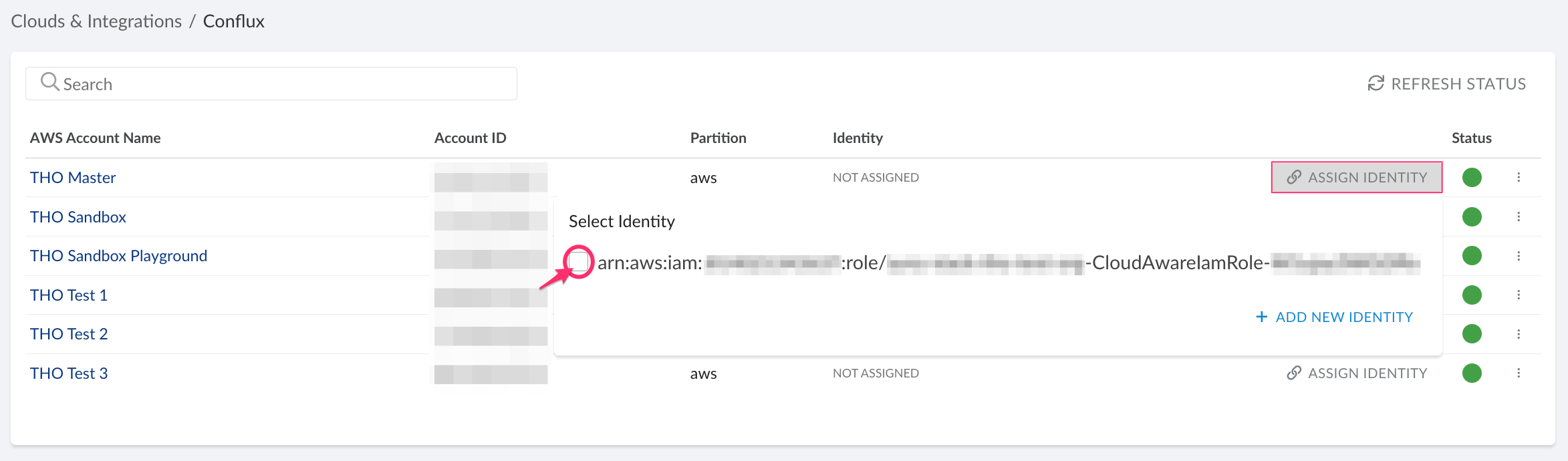
Select the checkbox for the AWS IAM role to define the scope for Cloudaware Log Management.
Contact your dedicated account manager or support@cloudaware.com to enablement and access to Conflux logs for the selected accounts.
Next step
Once Log Management is enabled, log in to the Cloudaware Launcher to access the Conflux app where you can view and analyze logs.