
Nutanix

Nutanix is a software-based management platform that provides a single interface for monitoring and managing Nutanix clusters across on-premises and cloud environments. This guide explains how to connect a Nutanix Prism Server v4 to Cloudaware.
 To see how Cloudaware seamlessly integrates with Nutanix in action, request a demo.
Prerequisites
Before you begin, ensure that the requirements below are met.
Choose an authentication method. Use one of the following authentication methods to configure the integration:
API Key (recommended)
Username and password
Assign the required permissions. The Nutanix account used for the integration must have at least one of the following roles:
Cluster Viewer
Prism Viewer
The role must include full read access to all required entity types and instances within the selected scope. More about roles
Set up a TunHub gateway and configure a designated route to the Nutanix Prism Server endpoint.

As Nutanix configurations are typically deployed in private cloud networks, ensure that the Prism Server is accessible from the internal host on which the Cloudaware Breeze Agent for TunHub is installed.
Add Nutanix Prism Server details
Log in to Cloudaware → Admin.
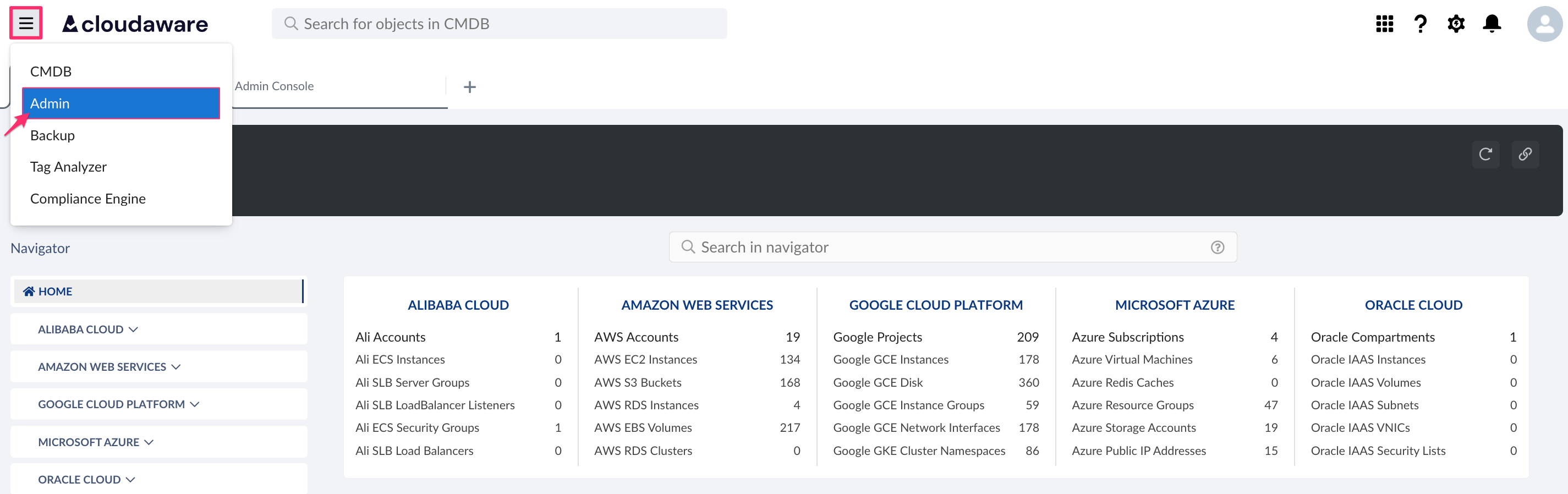
Find Nutanix. Click +ADD.

Select the authentication type and complete the following common fields:
Name: Enter a descriptive name for the Nutanix integration.
Host: Enter the Prism hostname (if TunHub is configured, the hostname must follow the format:https://gw.tunhub.cloudaware.com:port)
Trust Certificate: Enable this option if the Prism endpoint is private and a TunHub gateway is configured in Cloudaware.
For API key authentication (recommended):API Key: Enter the Nutanix Prism API key. More about API key
For Username and password authentication:
Username: Enter the Nutanix username.
Password: Enter the Nutanix password.
Click SAVE.Verify the integration status. A green light in the ‘Status’ column indicates a successful configuration. If the light is red, contact support@cloudaware.com.
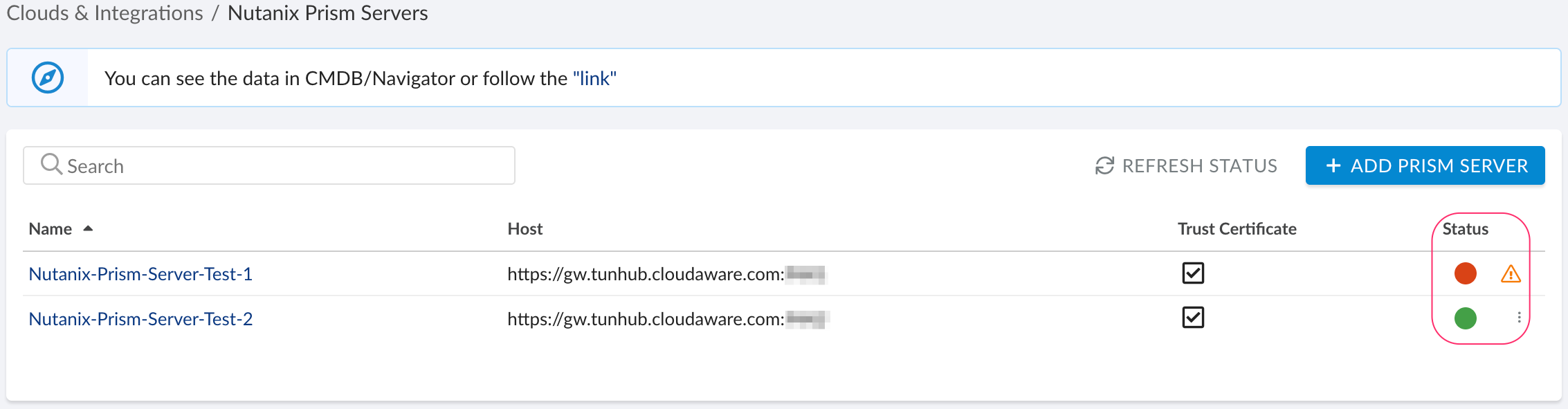
View Nutanix data in Cloudaware
To view Nutanix objects and related data:
Go to Cloudaware CMDB Navigator.
Select NUTANIX from the left-hand menu:
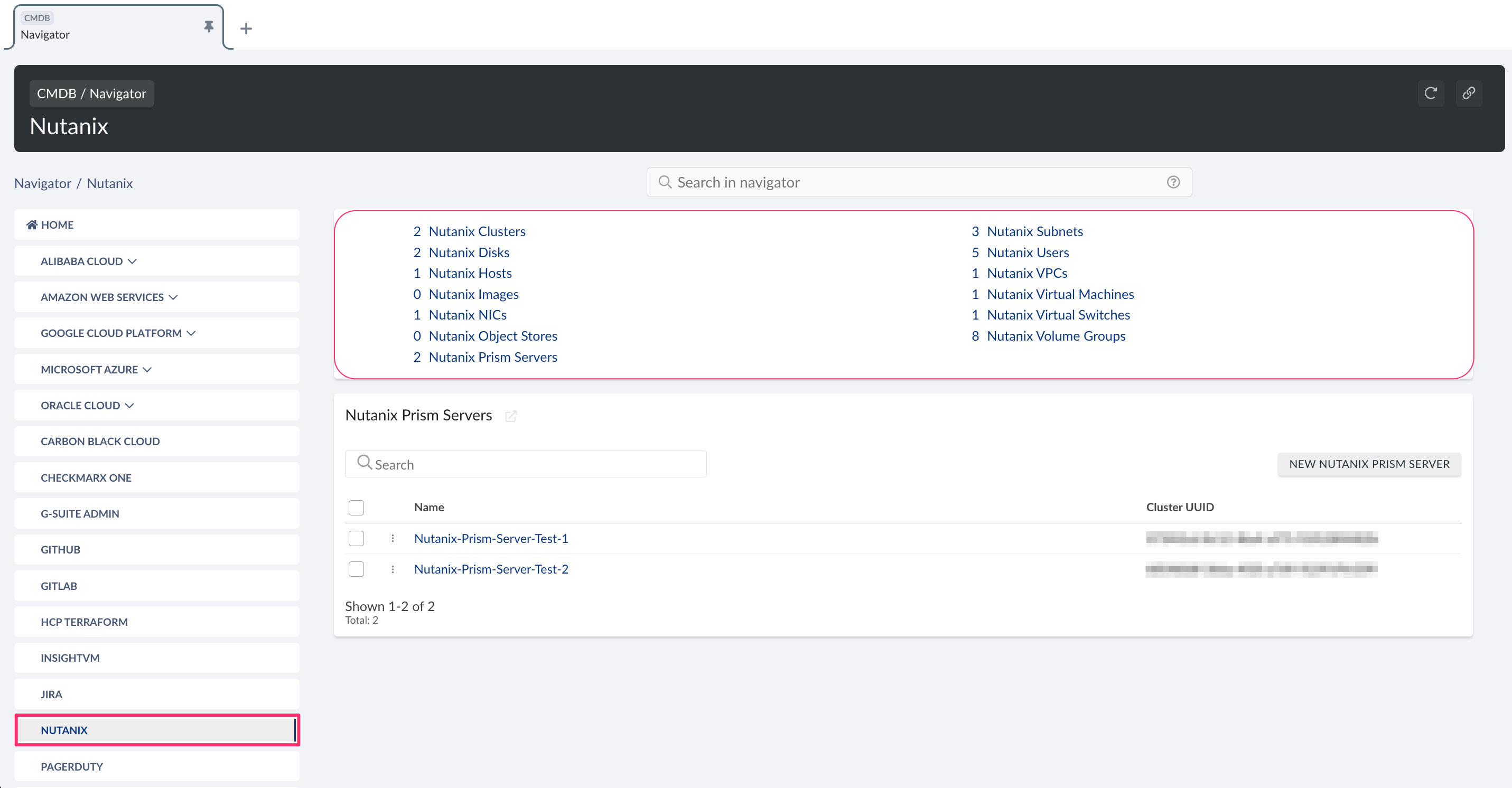
List of Nutanix objects
Cloudaware supports the following Nutanix objects (with API names):
Nutanix Cluster
CA10NUT__CaNutanixCluster__cNutanix Disk
CA10NUT__CaNutanixDisk__cNutanix Host
CA10NUT__CaNutanixHost__cNutanix Image
CA10NUT__CaNutanixImage__cNutanix NIC
CA10NUT__CaNutanixNic__cNutanix Object Store
CA10NUT__CaNutanixObjectStore__cNutanix Prism Server
CA10NUT__CaNutanixPrismServer__cNutanix Subnet
CA10NUT__CaNutanixSubnet__cNutanix User
CA10NUT__CaNutanixUser__cNutanix Virtual Machine
CA10NUT__CaNutanixVirtualMachine__cNutanix Virtual Switch
CA10NUT__CaNutanixVirtualSwitch__cNutanix Volume Group
CA10NUT__CaNutanixVolumeGroup__cNutanix VPC
CA10NUT__CaNutanixVpc__c