
Docker Registry

Docker Registry provides a centralized repository for storing and distributing container images. With the Cloudaware integration, teams can track image usage, manage versions, and enforce security policies for containerized applications. These features ensure consistent deployments across environments and simplify collaboration for DevOps teams.
 To see how Cloudaware seamlessly integrates with Docker Registry, request a demo.
Add Docker Registry credentials
Log in to Cloudaware → Admin.
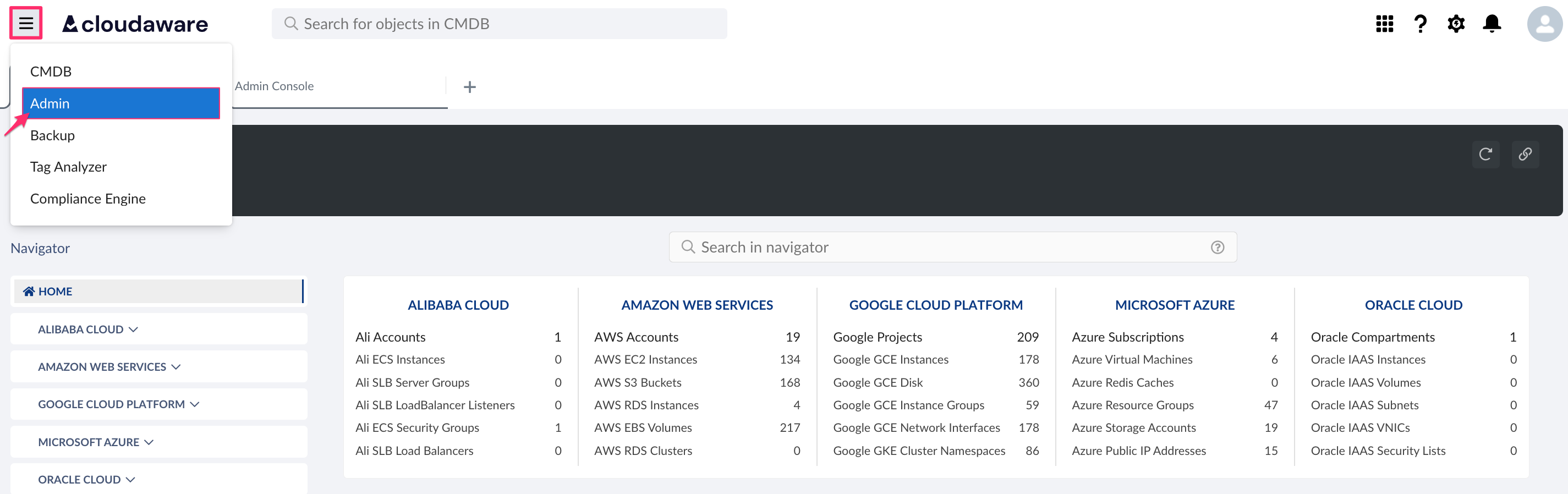
Find Docker Registry in Container Infrastructure integrations. Click +ADD.

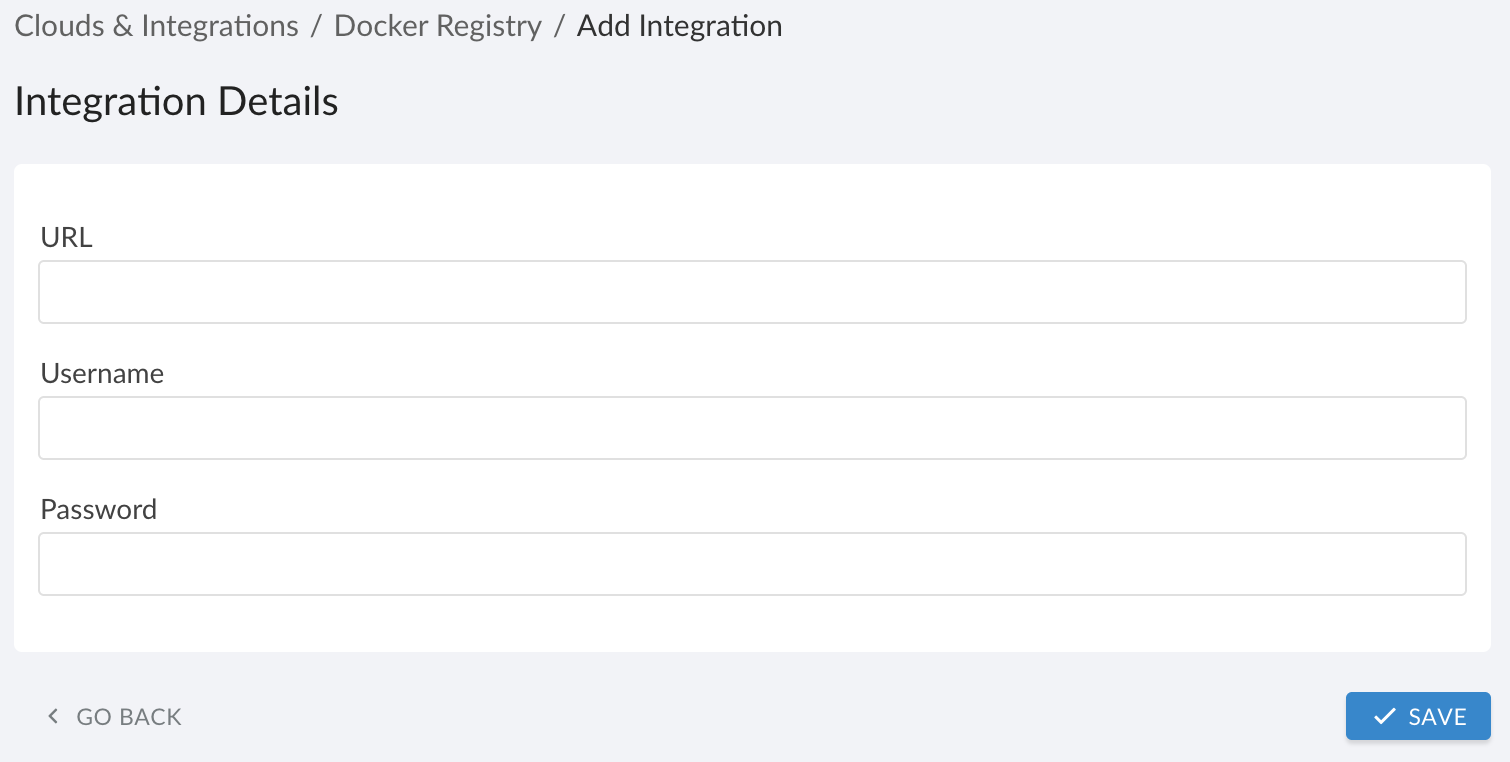
Fill out the form:
WHERE
URL: enter a base URL of the Docker-compatible registry, includinghttps://. Do not include an image name or tag.
Username: enter the Registry user or service account with at leastpull/readpermissions.
Password: enter a password or token associated with the username (for token-based registries, paste the token here instead of an interactive login password)
Click SAVE.Verify the integration status. A green light in the ‘Status’ column indicates a successful configuration. If the light is red, contact support@cloudaware.com.
List of Docker Registry objects
Cloudaware supports the following Docker Registry objects (with API names):
Docker Container
CA10__CaDockerContainer__cDocker Image
CA10__CaDockerImage__cDocker Repository
CA10__CaDockerRepository__cDocker Repository Image
CA10__CaDockerRepositoryImage__cDocker Runtime Vulnerability
CA10__CaDockerRuntimeVulnerability__c