
Amazon SNS

Amazon Simple Notification Service (SNS) is a managed messaging service for communication, allowing sending notifications to multiple endpoints. With the Cloudaware’s SNS Outbound Message integration, teams can automate alert delivery, ensure critical messages reach the right teams, and maintain operational continuity. The integration supports scalable communication across cloud and on-prem systems. This guide explains how to configure the Amazon SNS (SNS Outbound Message) integration in Cloudaware.
 To see how Cloudaware seamlessly integrates with AWS SNS, request a demo.
Set up the Outbound Message details
Log in to Cloudaware → Admin.
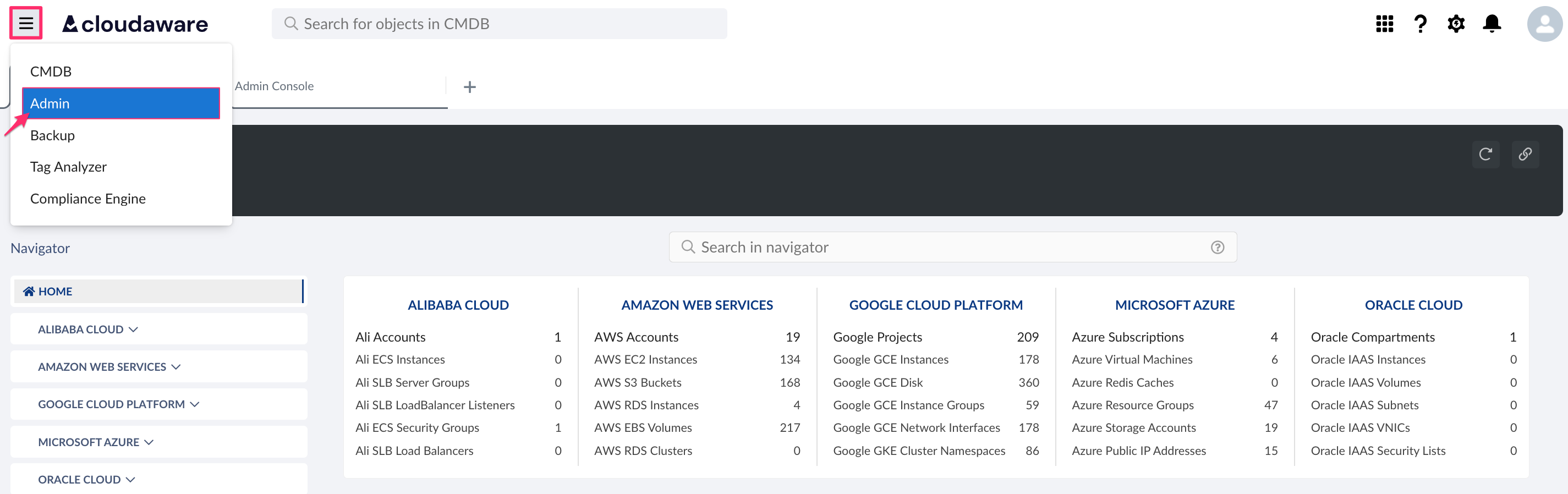
Find SNS Outbound Message in Other integrations. Click OPEN WIZARD.

Fill out the form:
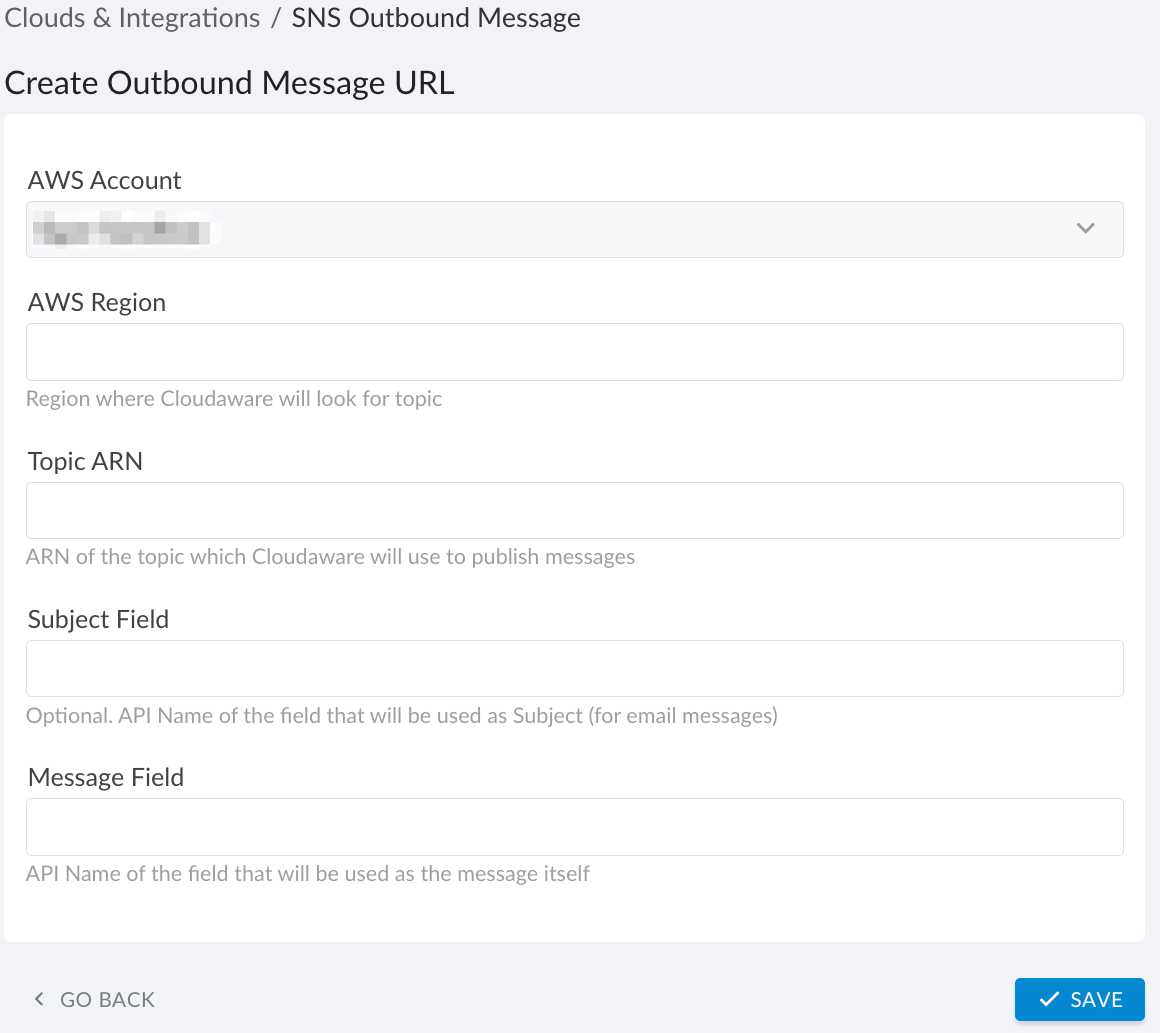
WHERE
AWS Account – select the AWS account from the list
AWS Region – enter the AWS region where Cloudaware will locate the SNS topic
Topic ARN – enter the ARN of the SNS topic that Cloudaware will use to publish messages
Subject field – (optional) enter the API name of the field to be used as the message subject (for email notifications)
Message field – enter the API name of the field to be used as the message bodyClick SAVE.
Check the URL. A green light in the ‘Status’ column indicates a successful configuration. If the light is red, contact support@cloudaware.com.
List of Amazon SNS objects
Cloudaware supports the following Amazon SNS objects:
AWS SNS Subscription
CA10__CaAwsSubscription__cAWS SNS Topic
CA10__CaAwsTopic__c